Cerca il miglior blocco app e ottieni un elenco di prodotti. La domanda più utile è quale tipo di blocco ti serve, perché ne esistono solo tre, e falliscono in modi diversi. Ecco in cosa ciascuno è davvero bravo, e come capire qual è il tuo.
Quasi tutti gli strumenti qui fanno la stessa cosa visibile: scegli alcune app, e smettono di aprirsi. Ciò che davvero li separa è dove finisce l’interruttore — nelle Impostazioni, dentro un’altra app, o su un oggetto dall’altra parte della stanza — e quanto paghi per tenerlo lì. Ordinata così, la scelta diventa molto più semplice, e la maggior parte di chi dice che un blocco «ha smesso di funzionare» aveva scelto il tipo sbagliato, non un prodotto scadente.
Parti da quello che hai già sull’iPhone
Tempo di utilizzo di Apple è gratuito, già installato, e fa più di quanto la maggior parte delle persone immagini: programmi di pausa di utilizzo, limiti giornalieri per app o categoria, restrizioni sui siti web e un resoconto di ciò che hai usato davvero. Attiva «Condividi sui dispositivi» e gli stessi limiti e programmi valgono su iPhone, iPad e Mac.
Ha anche un punto debole che Apple dichiara apertamente nella propria documentazione: di default, i limiti di Tempo di utilizzo possono essere ignorati una volta raggiunti. Puoi chiudere quella porta — attivare «Blocca all’inizio della pausa» con un codice di Tempo di utilizzo rende le app limitate davvero impossibili da aprire — ma il codice vive sullo stesso telefono a cui stai cercando di resistere. È per questo che regge così bene sul dispositivo di un figlio, dove un genitore tiene il codice su un altro telefono, e così male sul tuo.
Ideale per: tutti, come primo passo. Non costa nulla scoprire se basta, e per molte persone basta. La nostra guida passo passo per bloccare le app su iPhone copre la configurazione.
Blocchi software: Opal, Freedom, one sec
Sono app che bloccano altre app. Aggiungono regole che Tempo di utilizzo non ha, e arrivano su piattaforme dove Apple non arriva.
Opal gira su iPhone, Mac e Android. Il piano gratuito ti dà una regola con programmi e limiti di tempo; il piano Pro a pagamento — mensile, annuale, o una licenza a vita comprata una volta sola — aggiunge livelli di blocco più duri e regole illimitate. È la più curata delle tre, e trasforma la tua giornata in un unico punteggio di concentrazione che puoi vedere muoversi.
Freedom è il più ampio. Copre Mac, Windows, iOS, Android e, tramite la sua estensione per il browser, ChromeOS e Linux, e blocca app, siti web o l’intera rete con una sola sessione sincronizzata su tutti i dispositivi insieme. Il piano gratuito già blocca; Premium aggiunge sessioni che partono secondo un programma, si ripetono ogni settimana, e un Locked Mode che ti impedisce di uscire a metà strada. Premium è un abbonamento, con accanto un’opzione «Forever» pagata una volta sola.
one sec fa l’opposto di un muro. Mette una pausa deliberata davanti all’app — un respiro, un momento — così il riflesso si spezza prima che il feed si carichi. Il suo sito rimanda a studi con revisione paritaria condotti con il Max Planck Institute e l’Università di Heidelberg. Scegli questo se vuoi una mano più leggera, non più severa.
Ideale per: chiunque usi Android o Windows, chiunque voglia programmi e statistiche dettagliate, e chiunque voglia provare qualcosa di gratuito stasera stessa. Il limite che hanno in comune è strutturale, non un difetto di fattura: ciò che toglie il blocco si trova sul dispositivo che stai cercando di posare. Lo approfondiamo in hardware contro software.
Blocchi fisici: Brick e Norma
Entrambi spostano l’interruttore dallo schermo a un oggetto. Avvii una sessione avvicinando il telefono all’oggetto, e la chiudi allo stesso modo.
Brick è un piccolo dispositivo contro cui tocchi il telefono. Funziona con iPhone da iOS 17 in poi e con Android 12 o versioni successive, si compra una volta sola senza abbonamento, tiene fino a dieci modalità personalizzate e include cinque sblocchi d’emergenza per i giorni in cui ne sei lontano. Lo Strict Mode chiude la scappatoia ovvia di cancellare l’app per sfuggire al blocco. Il suo blocco avviene sul telefono: il sito di Brick elenca un’app iOS e una Android e nessuna app desktop, quindi il tuo computer resta intatto.
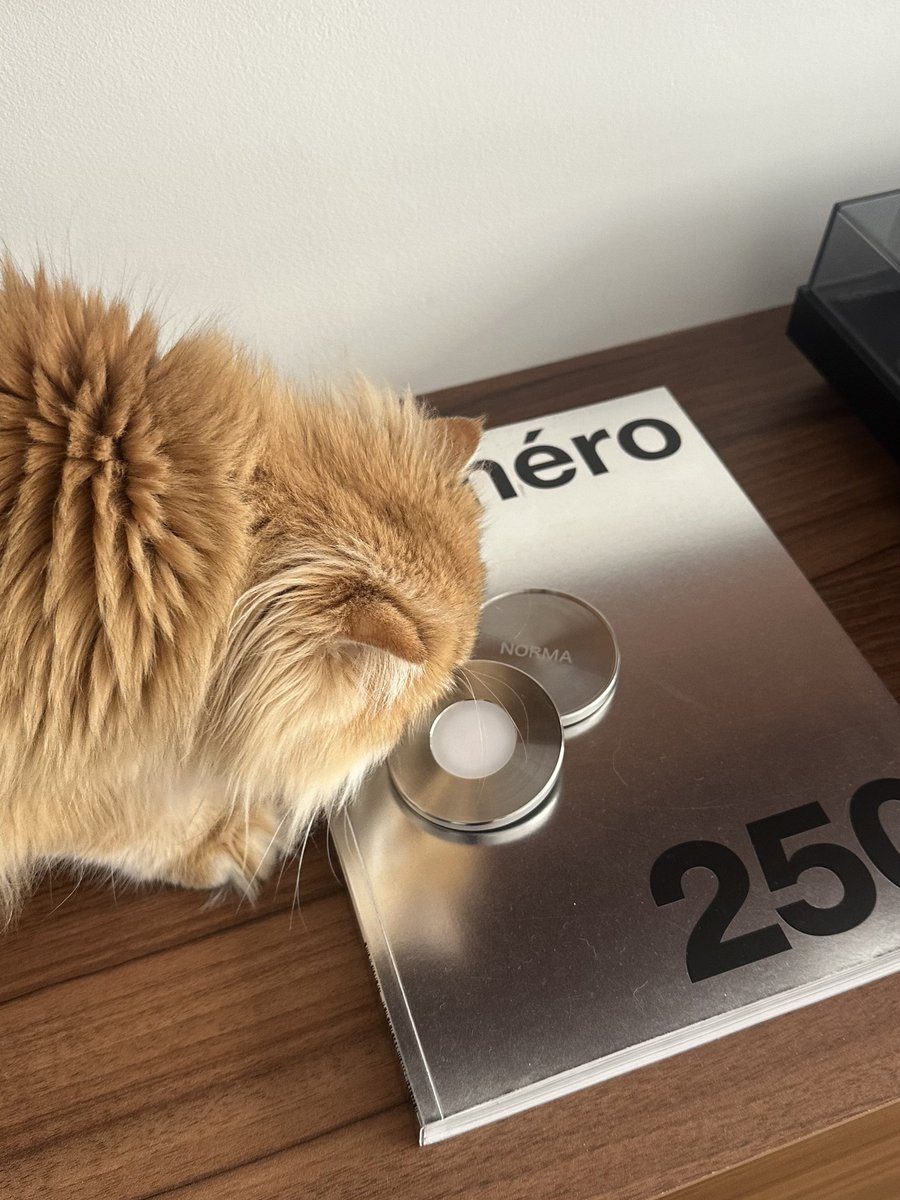
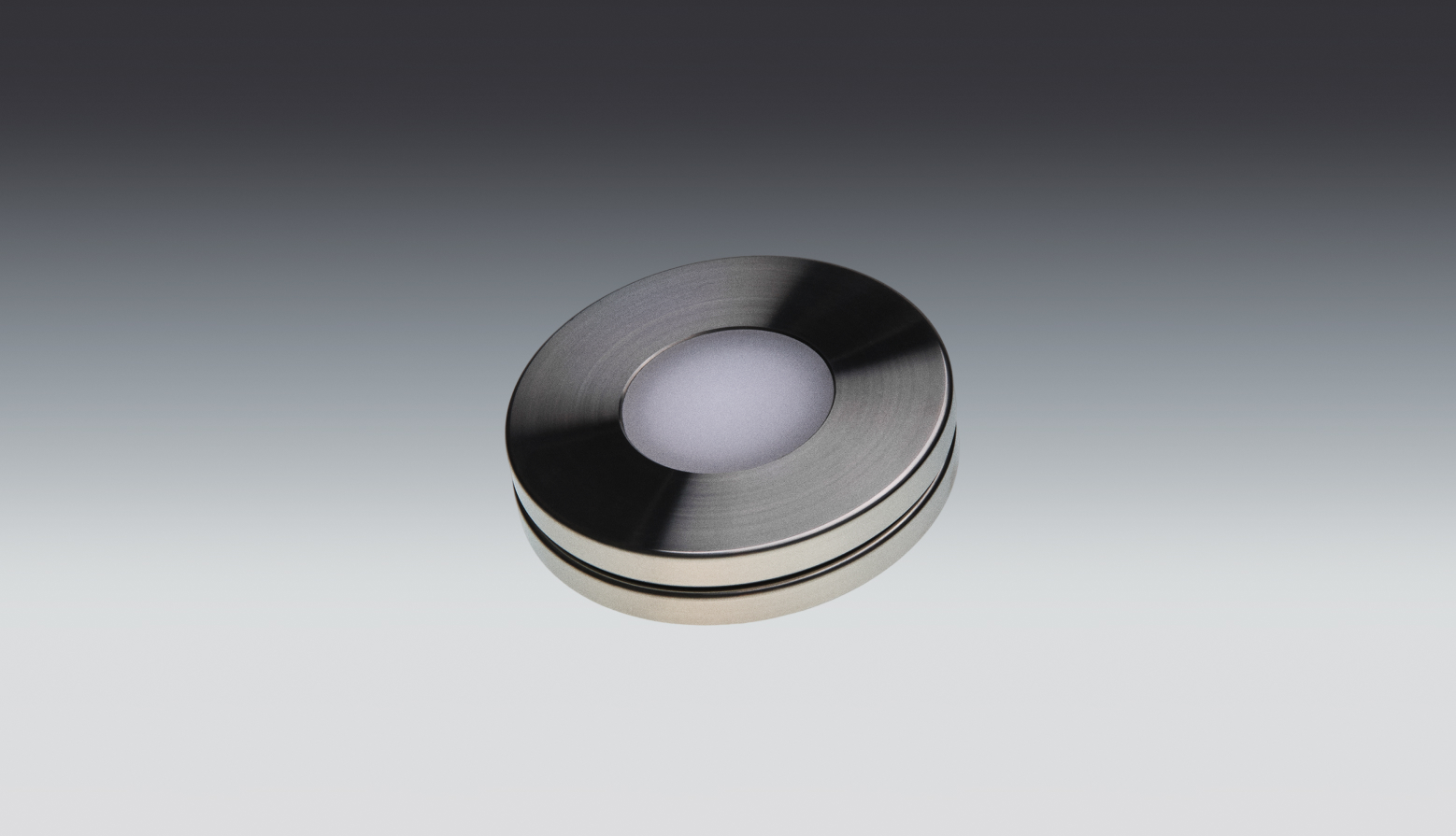
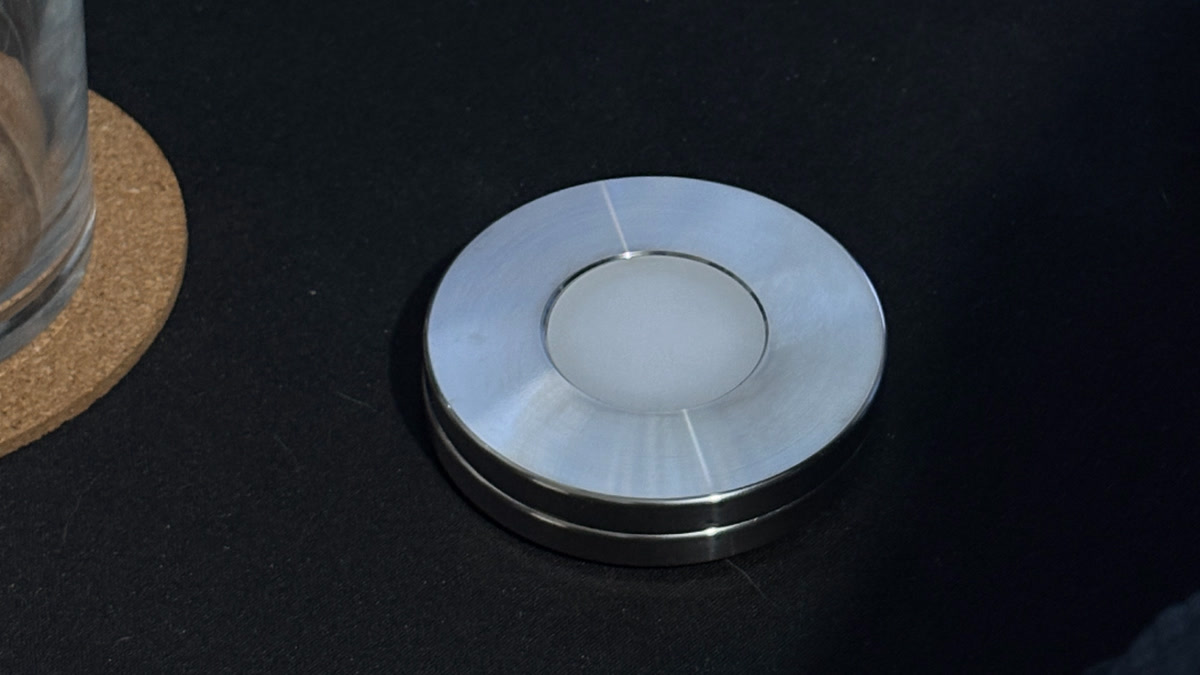
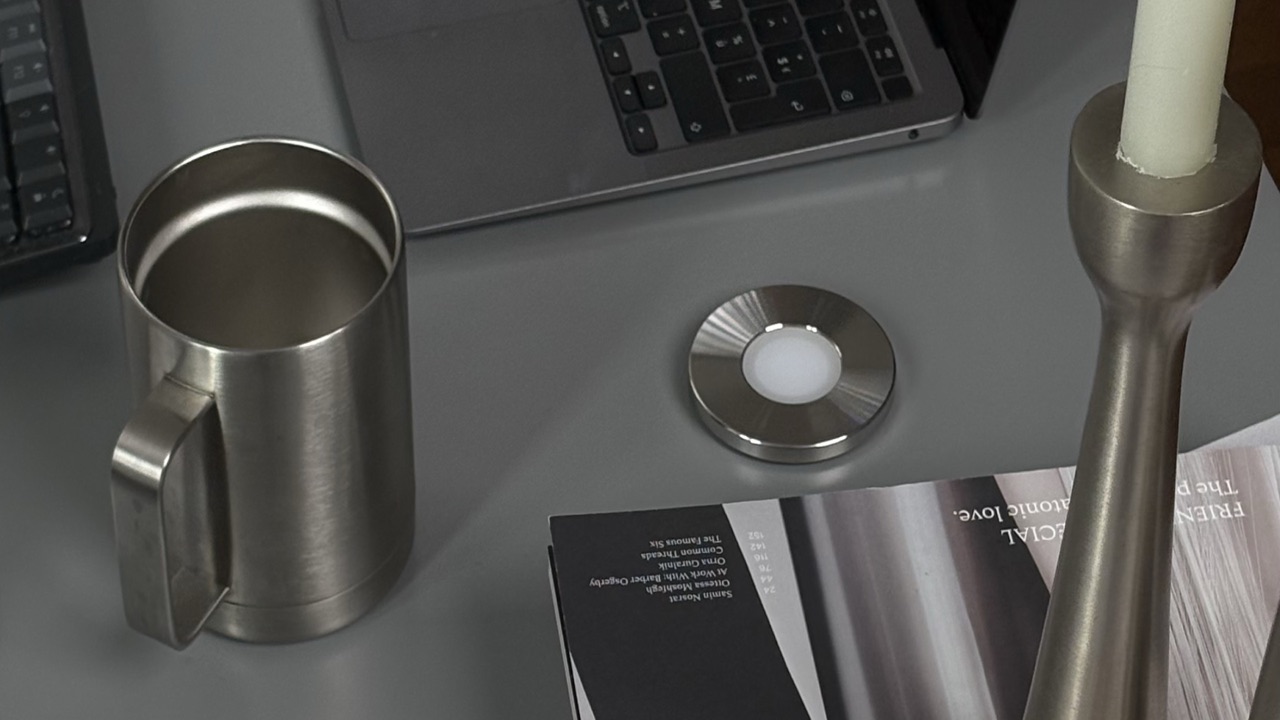
Norma è un disco in acciaio inossidabile lavorato a macchina che scansioni con l’iPhone; le app che hai scelto restano in silenzio finché non scansioni di nuovo. Anche questa comprata una volta sola, senza abbonamento e senza batteria. Raggruppi le app in preimpostazioni per diversi momenti della giornata, impili regole su una sessione — un timer, un blocco rigido fino a due ore che nemmeno tu puoi interrompere, il blocco automatico quando arrivi in un posto — e un’app Mac gratuita blocca i siti che hai scelto in ogni browser con la stessa scansione. È solo per iPhone, e anche lei tiene da parte un numero limitato di sblocchi d’emergenza. Se stai soppesando i due direttamente, abbiamo scritto un confronto diretto con Brick e Opal.
Ideale per: l’unica falla che il software non può correggere — tu, che togli il tuo stesso blocco sul momento. Brick se sei su Android, o se vuoi l’interruttore con un tocco. Norma se sei su iPhone e vuoi che la stessa scansione sblocchi anche il tuo Mac.
| Norma | Brick | Opal | Freedom | Screen Time | |
|---|---|---|---|---|---|
| Sblocchi con un oggetto fisico | |||||
| Funziona su Android | |||||
| Blocca sul tuo computer | Mac | Mac | Mac + Windows | Mac | |
| Versione gratuita da provare | |||||
| Costo ricorrente | Nessuno | Nessuno | Abbonamento o a vita | Abbonamento o a vita | Nessuno |
Quale comprare, allora?
- Non hai ancora provato niente. Tempo di utilizzo. Gratuito, già lì, e sufficiente per più persone di quante internet ammetta.
- Sei su Android. Brick, Opal o Freedom. Norma è solo per iPhone e per te non funzionerà affatto.
- Ti muovi tra un Mac e un PC. Freedom è l’unico qui a coprire Windows.
- Vuoi programmi, statistiche e un punteggio. Opal o Freedom. Norma ha timer e regole di luogo, ma nessun calendario settimanale ricorrente, e non prova a essere una dashboard.
- Non vuoi spendere niente. Tempo di utilizzo, o i piani gratuiti di Opal e Freedom.
- Continui a togliere il blocco da solo. Questo è l’unico fallimento che il software non può risolvere, ed è per questo che esistono i blocchi fisici. Brick se ti serve Android o vuoi l’interruttore a un tocco. Norma se sei su iPhone e vuoi che la stessa scansione copra anche il Mac.
- Non porterai con te un altro oggetto. Allora resta al software, onestamente. Un disco lasciato in un cassetto a casa non blocca niente, e un dispositivo che ti dà fastidio è un dispositivo che smetti di usare.
Punti chiave
- Esistono tre tipi di blocco: integrato in iOS, software e fisico. Scegli prima il tipo, poi il prodotto.
- Tempo di utilizzo è gratuito e spesso basta — ma Apple segnala che i suoi limiti possono essere ignorati di default, a meno che tu non blocchi all’inizio della pausa con un codice.
- I blocchi software vincono su copertura e programmazione: Freedom copre più piattaforme, Opal ha le statistiche migliori, one sec la frizione più leggera.
- I blocchi fisici vincono su una cosa sola: non puoi chiudere la sessione dal telefono. O vale la spesa, o per te non vale niente.
- Norma è la scelta sbagliata su Android, e per chi non terrà un oggetto a portata di mano.
La prova onesta
Chiediti quale parte è davvero fallita l’ultima volta. Se non hai mai saputo dove finissero le ore, ti serve uno specchio, e Tempo di utilizzo è gratuito. Se lo sapevi e non riuscivi a fermarti, ti servono copertura e regole, e il software è costruito bene per questo. Se lo sapevi, hai messo il blocco e poi lo hai tolto tu stesso alle undici di sera — nessun software risolve questo, perché il pulsante è sempre a portata di mano.
Domande frequenti.
- Qual è il miglior blocco app per iPhone?
- Dipende da quale fallimento continui a incontrare. Se non hai mai provato niente, Tempo di utilizzo di Apple è gratuito e già installato: comincia da lì. Se vuoi programmi, statistiche e un piano gratuito, Opal e Freedom sono le opzioni software più solide. Se continui a togliere il tuo stesso blocco sul momento, un blocco fisico è la risposta onesta: Brick o Norma, dove la sessione finisce solo quando tocchi o scansioni l’oggetto.
- Quale blocco app non si può aggirare?
- Nessuno di loro è impossibile da aggirare, e qualsiasi strumento che sostenga il contrario sta promettendo troppo. Ciò che cambia è quanto lavoro richiede aggirarlo. Apple documenta che i limiti di Tempo di utilizzo possono essere ignorati di default, anche se attivare «Blocca all’inizio della pausa» con un codice chiude quella porta. Il Locked Mode di Freedom ti impedisce di uscire da una sessione, e lo Strict Mode di Brick ti impedisce di cancellare l’app. I blocchi fisici vanno più lontano, perché chiudere una sessione richiede l’oggetto in mano — sia Brick sia Norma tengono da parte un piccolo numero di sblocchi d’emergenza per quando ne sei lontano.
- Esiste un blocco app senza abbonamento?
- Sì, in tre forme. Tempo di utilizzo è integrato in iOS senza costi. Opal e Freedom vendono entrambi una licenza a vita pagata una volta sola accanto ai loro abbonamenti, e tutti e due hanno piani gratuiti. E i blocchi fisici — Brick e Norma — si comprano una volta: l’hardware è l’acquisto, e l’app che lo accompagna non ha canoni ricorrenti.
- Qual è il miglior blocco per i siti web?
- Freedom, se vuoi un solo strumento per ogni schermo: blocca i siti web su Mac, Windows, iOS, Android e, tramite la sua estensione, ChromeOS e Linux. Tempo di utilizzo può limitare i siti web sui dispositivi Apple senza costi. Brick può bloccare sull’iPhone una selezione di siti in Safari, presi dall’elenco approvato da Apple. Norma blocca i siti che scegli sul tuo Mac in ogni browser, attivata dalla stessa scansione che fa tacere il telefono.
- Tempo di utilizzo basta da solo?
- Per molte persone sì, e non costa nulla scoprirlo. Ti dà un resoconto settimanale, programmi di pausa di utilizzo, limiti per singola app e restrizioni sui siti web, e si sincronizza tra iPhone, iPad e Mac. Dà il meglio sul dispositivo di un figlio, dove è un genitore a tenere il codice. Sul tuo telefono il codice sta sullo stesso dispositivo a cui stai cercando di resistere, quindi se ti accorgi di digitarlo ogni sera, quello è il segnale per passare a qualcos’altro.
- Qual è la migliore app di concentrazione per il lavoro profondo o per studiare?
- Se vuoi sessioni che partono da sole e si ripetono ogni settimana, si tratta di software: Freedom per sessioni programmate ricorrenti su più dispositivi, Opal per timer e un punteggio di concentrazione. Se il tuo problema non è pianificare ma fermarti — la sessione che chiudi dopo dieci minuti — un blocco fisico ti si adatta meglio, perché non c’è nessun pulsante da premere. one sec è l’opzione più leggera: aggiunge una pausa prima che un’app si apra, invece di bloccarla del tutto.
Se il problema è il pulsante, togli il pulsante.
Un disco in acciaio inossidabile che scansioni con l’iPhone. Le app che hai scelto restano in silenzio, sul telefono e sul Mac, finché non scansioni di nuovo. Comprata una volta, senza abbonamento.
Fonti
- 1.Apple · «Primi passi con Tempo di utilizzo su iPhone» (limiti, resoconti, Condividi sui dispositivi)
- 2.Apple · «Programmare orari con Tempo di utilizzo su iPhone» (di default i limiti possono essere ignorati; Blocca all’inizio della pausa)
- 3.Opal · prezzi (piano gratuito, abbonamento Pro, opzione a vita)
- 4.Freedom · piani (piano gratuito, abbonamento Premium, Forever pagato una volta)
- 5.Freedom · download (Mac, Windows, iOS, Android, ChromeOS, Linux)
- 6.one sec · sito ufficiale (pausa prima che un’app si apra, ricerche citate)
- 7.Brick · FAQ (supporto iOS e Android, acquisto unico, Strict Mode, sblocchi d’emergenza)
- 8.Norma · sito ufficiale (disco d’acciaio, preimpostazioni e regole, app Mac gratuita)
- 9.Funzioni e prezzi cambiano nel tempo — controlla il sito di ciascun produttore per i dettagli aggiornati.