
Your focus, now on your Mac.
Scan your Norma and the sites you chose go dark on your Mac too — in every browser. Scan again to bring them back.

Set it once. Then just scan.
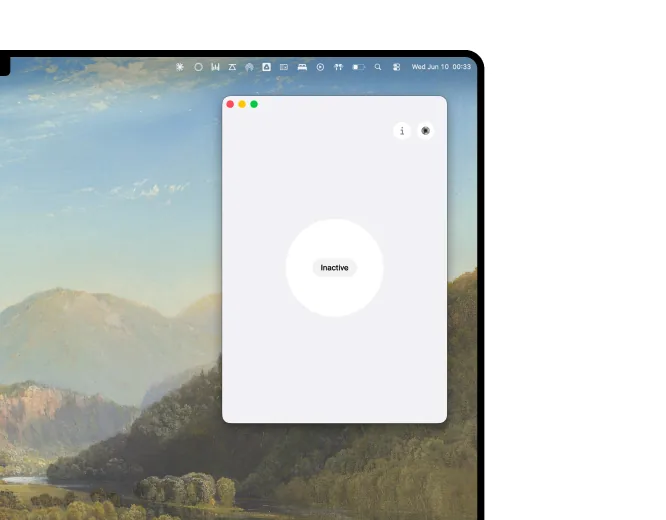
Link your Mac
Install the free app, sign in.
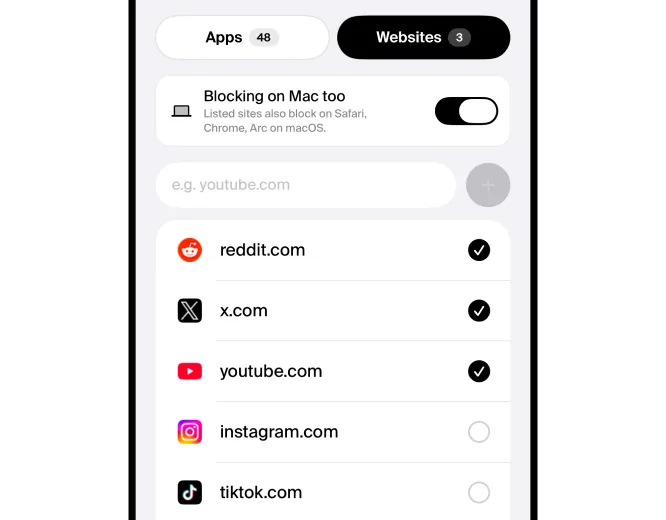
Pick your sites
Choose what to block, on iPhone.
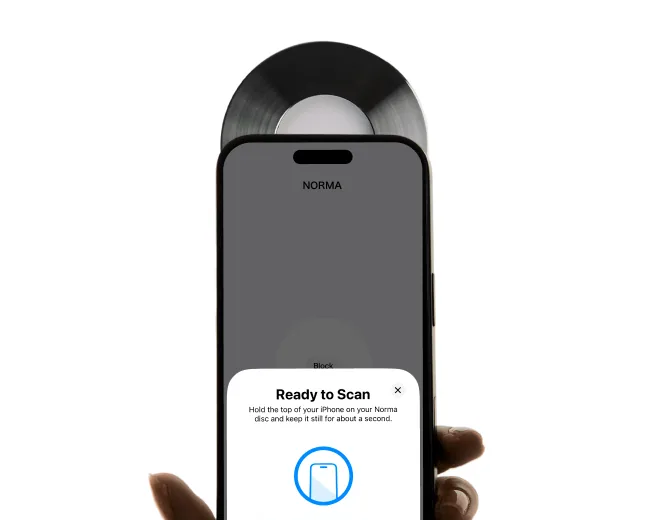
Scan to start
They go dark on your Mac.
What makes it work.
Works in every browser
Network-level blocking, so Safari, Chrome and Arc are all covered.
Mirrors your iPhone
Your Mac follows the sessions you start with a scan.
Hard to wriggle out of
Stopped at the network layer — not just hidden.
Quiet in your menu bar
Runs in the background — nothing to babysit.
A calm block page
A quiet Norma page, not a jarring error.
Free with your Norma
A free companion. One account links both.
Choose what goes dark.
Tap a site to block it, or add your own. Every Focus preset remembers its own list.
4sites go dark the moment you scan.
Bring your focus to the bigger screen.
The Mac app is free — you just need a Norma to scan.
Mac questions, answered.
The Norma Mac app runs on macOS 13 (Ventura) and later, on both Apple Silicon and Intel Macs.
Yes. It's a free companion to your Norma disc — one account links your iPhone and your Mac. You only ever pay once, for the disc itself.
No. Blocking happens locally on your Mac. Norma never sees, logs or routes your browsing — it only knows which sites you chose to block.
No. The app sits quietly in your menu bar and blocks at the network level, so there's no heavy background process and no noticeable performance hit.
All of them. Because blocking happens at the network level, Safari, Chrome, Arc, Firefox and any other browser are covered automatically.
Yes — you start and end sessions by scanning your Norma disc with your iPhone. Your Mac simply mirrors whatever session is active.