You opened Messages, and under someone’s name it reads “Notifications Silenced.” Nothing is broken, and you haven’t been blocked. It’s one small line with a simple meaning — and, oddly, it points at the most useful thing a phone can do.
The phrase turns up in a few places — inside a Messages thread, on your lock screen, next to a contact — and it tends to cause a small jolt: am I missing things? Did I mute someone by accident? Did they mute me? The answer is almost always calmer than that.
What “Notifications Silenced” actually means
It means a Focus is on. Focus is Apple’s umbrella for Do Not Disturb, Sleep, Driving, Personal, Work, and any custom Focus you’ve set up. While one is active, your iPhone holds back the notifications that aren’t on that Focus’s allow-list. The label is just your phone being honest about it: alerts are paused, not lost — they’re waiting for you in Notification Center.
There are two versions of the message, and the difference matters. On a contact’s name in Messages, they have a Focus on; their phone told yours as a courtesy, so you know a reply might be slow. You can still message them — nothing is blocked. On your own lock screen or in a banner, you have a Focus on, and your alerts are being held until you turn it off.
Why you’re seeing it
The usual causes, roughly in order of likelihood: a Focus on a schedule (Sleep and Do Not Disturb often run on a timer overnight); Do Not Disturb switched on from Control Center and forgotten; Driving Focus triggering automatically in a car; or a custom Focus — Work, Personal, or one an app uses on your behalf.
Key takeaways
- “Notifications Silenced” means a Focus is on — nothing is broken or blocked.
- On a contact’s name it’s their Focus; on your own screen it’s yours.
- Silenced isn’t deleted: held alerts wait in Notification Center.
- It’s a feature, not an error — the phone protecting your attention.
How to turn it off
If it’s your Focus and you want alerts back: open Control Center (swipe down from the top-right corner), tap the Focus button — it shows the active one, like “Do Not Disturb” or a moon — and tap it to switch it off. To stop it returning on a schedule, go to Settings → Focus, pick the one that keeps activating, and turn off its schedule or automation.
If a contact shows “Notifications Silenced,” there’s nothing to fix on your end. It’s their setting; they’ll see your message when their Focus ends.
When you should leave it on
Here’s the reframe. Most people meet “Notifications Silenced” as a problem to solve. But the phrase describes exactly the state that apps, willpower, and money are usually spent chasing: a quiet phone. It feels unfamiliar only because silence on a phone is rare — not because it’s bad, but because almost everything else is built to interrupt you.
The catch with Focus is that the switch lives on the same screen you’re trying to step away from. It’s two taps to undo, and you’re the one holding the phone. That’s why a scheduled Sleep Focus works — you’re asleep — but a “Work” Focus you flip on yourself rarely lasts: the off switch is always one reach away. That on-screen off switch is the whole reason software focus tools quietly fail.
The short version
“Notifications Silenced” isn’t an error — it’s your phone doing the rare, valuable thing. Its only weakness is that you can undo it in two taps. Move that switch off the screen and the silence finally sticks.
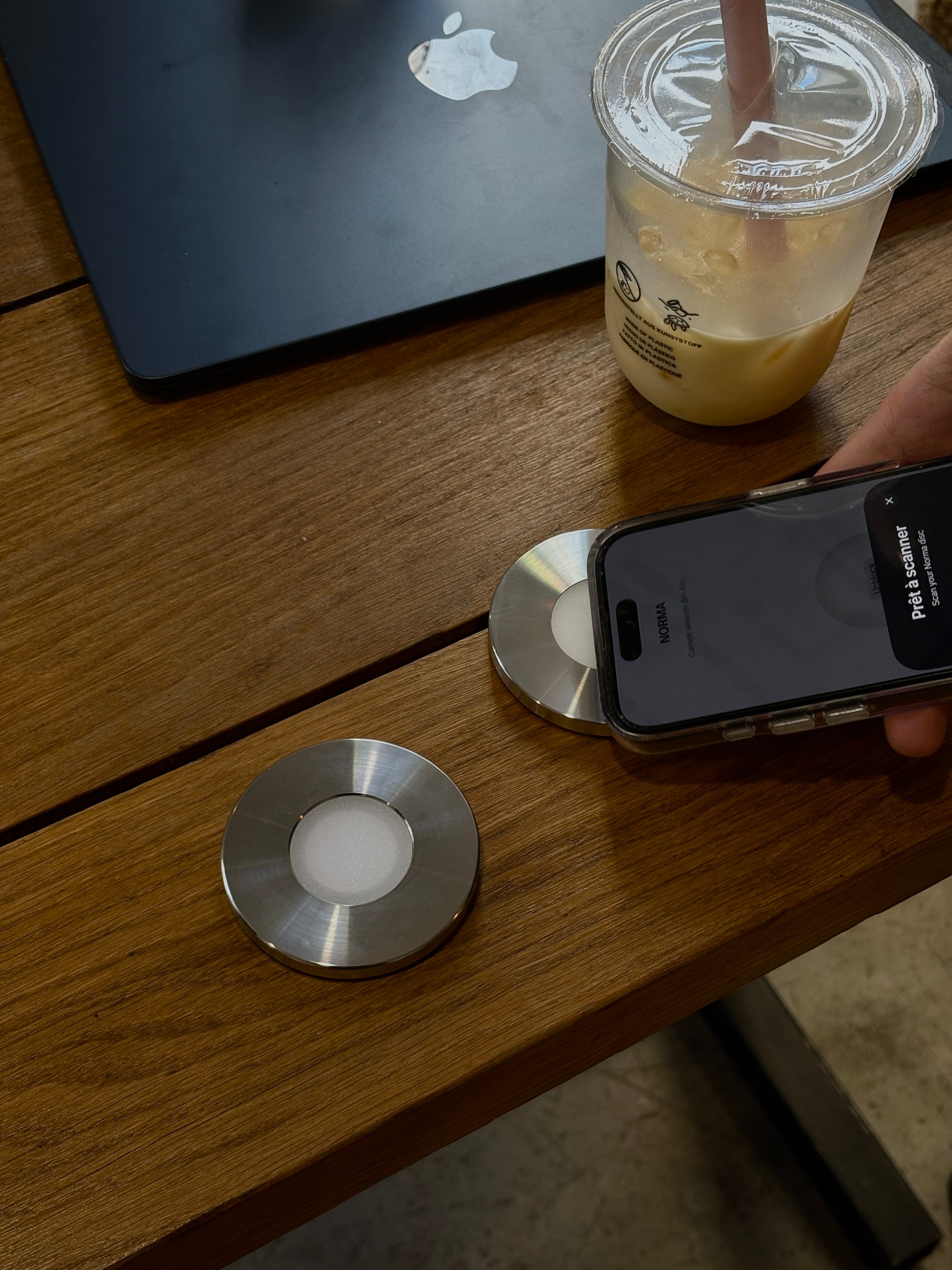
Norma uses a Focus the same way iOS does — but the on/off switch isn’t on your phone. It’s a steel disc you scan. The apps you chose go quiet (yes, “Notifications Silenced” and all) and stay that way until you physically scan again. Here’s how that compares to the built-in tools.
Questions, answered.
- Does ‘Notifications Silenced’ mean you’ve been blocked?
- No. It means the other person has a Focus turned on, so their alerts are paused. Your message is still delivered — they’ll see it once the Focus ends. Blocking is a separate setting and never shows this label.
- What does ‘Notifications Silenced’ mean on an iPhone?
- A Focus is active — Do Not Disturb, Sleep, Driving, or a custom one. The iPhone holds back notifications that aren’t on that Focus’s allow-list. They’re paused, not lost: they wait in Notification Center.
- What does it mean when someone has notifications silenced?
- Their phone, not yours, has a Focus on. It’s a courtesy note that a reply may be slow. You can still text or call them as usual.
- Can you still send and receive messages when notifications are silenced?
- Yes. Messages send and arrive normally; only the sound and banner are held back until the Focus ends.
- How do you turn off ‘Notifications Silenced’?
- If it’s your Focus: open Control Center, tap the Focus button — it names the active one, like Do Not Disturb — and switch it off. To stop it recurring, go to Settings → Focus and turn off its schedule.
- Why does my iPhone say notifications are silenced when they’re not?
- A Focus is usually running on a schedule or automation you’ve forgotten — often Sleep overnight or Driving in a car. Open Settings → Focus to see which one is active and turn off its trigger.
- Is ‘Notifications Silenced’ the same as being blocked?
- No. Silenced is temporary and set by a Focus; blocking is permanent and hidden. If you still see delivery or typing indicators, you haven’t been blocked.
Make the silence intentional.
One scan turns the noise off — and it stays off until you scan again.

Sources